The Mmissingopen source
link between Cursor and Unreal Engine
I built this because Rider and Visual Studio felt ancient next to Cursor. It auto-detects your .uproject, finds engine installs from the registry, and gives Cursor's AI full build superpowers via a built-in MCP server.
Cursor + Unreal Engine + AI — all wired up
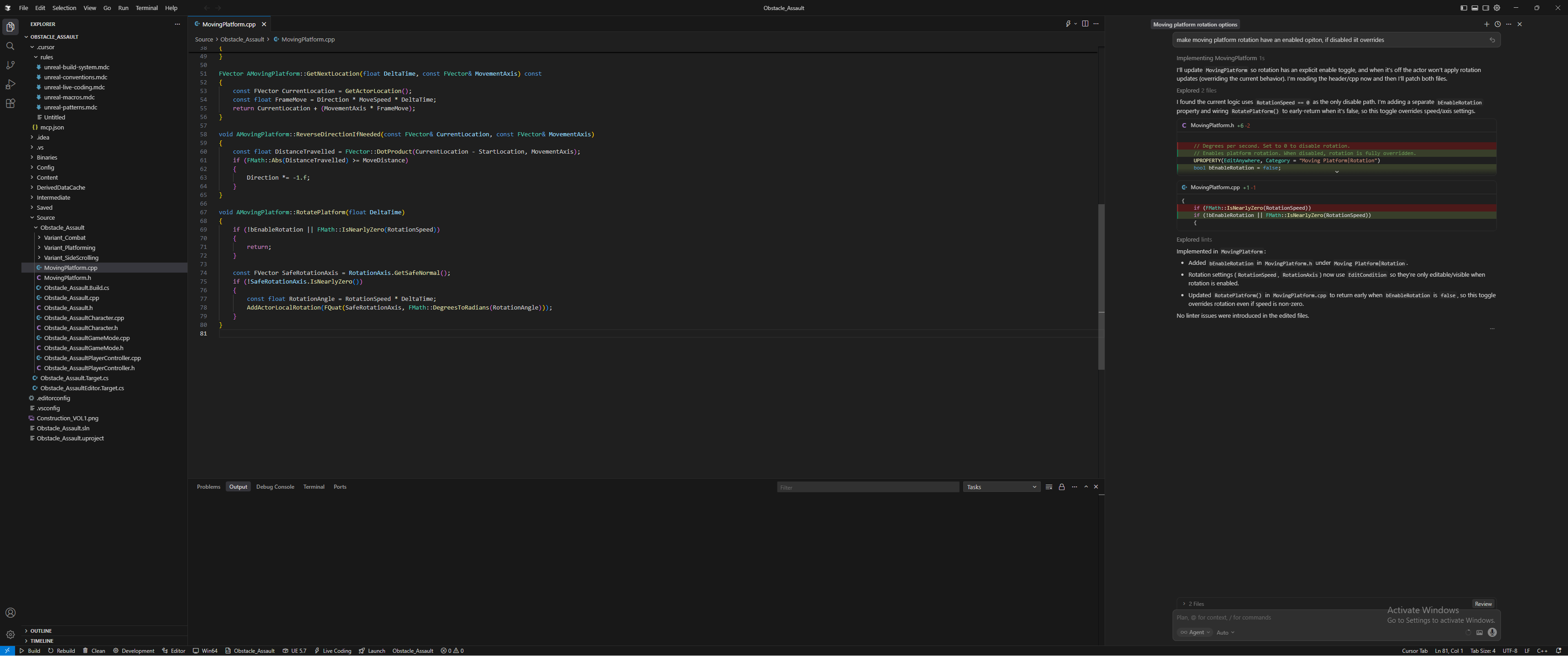
.cursor/rules in the explorer, UE C++ in the editor, Cursor's AI agent fixing code on the right, and EngineLink's status bar at the bottom.
What it does
One thing done well: making the build-compile-iterate loop painless in Cursor. Not an IDE replacement — just the glue between your UE project and your editor.
Auto-Detection
Scans for .uproject files, reads EngineAssociation, discovers UE installs from the Windows registry, and locates VS Build Tools via vswhere. Zero config.
Build / Rebuild / Clean
Invoke UnrealBuildTool directly from the editor with full output streaming. MSVC errors are parsed and surfaced as native VS Code diagnostics in the Problems panel.
Editor-Aware Builds
Detects when Unreal Editor is running and suggests Live Coding over a full build to avoid DLL lock errors. Smart defaults, fewer failed builds.
Live Coding
Trigger Ctrl+Alt+F11 hot-reload in a running Unreal Editor session. No native dependencies — just a clever PowerShell SendKeys one-liner.
compile_commands.json
Runs UBT's GenerateClangDatabase mode and copies the result to your project root so Cursor's C++ IntelliSense works — no red squiggles.
MCP Server + Cursor Rules
A sidecar MCP server lets Cursor's AI agent build, diagnose, and fix errors autonomously. Auto-generated .cursor/rules/ teach AI UE conventions.
Native feel.
Zero friction.
Everything hooks into the editor natively — status bar, title bar, Problems panel. No weird external tools or separate windows.
Project name, engine version, build config, and quick-action buttons — always visible at the bottom of your editor.
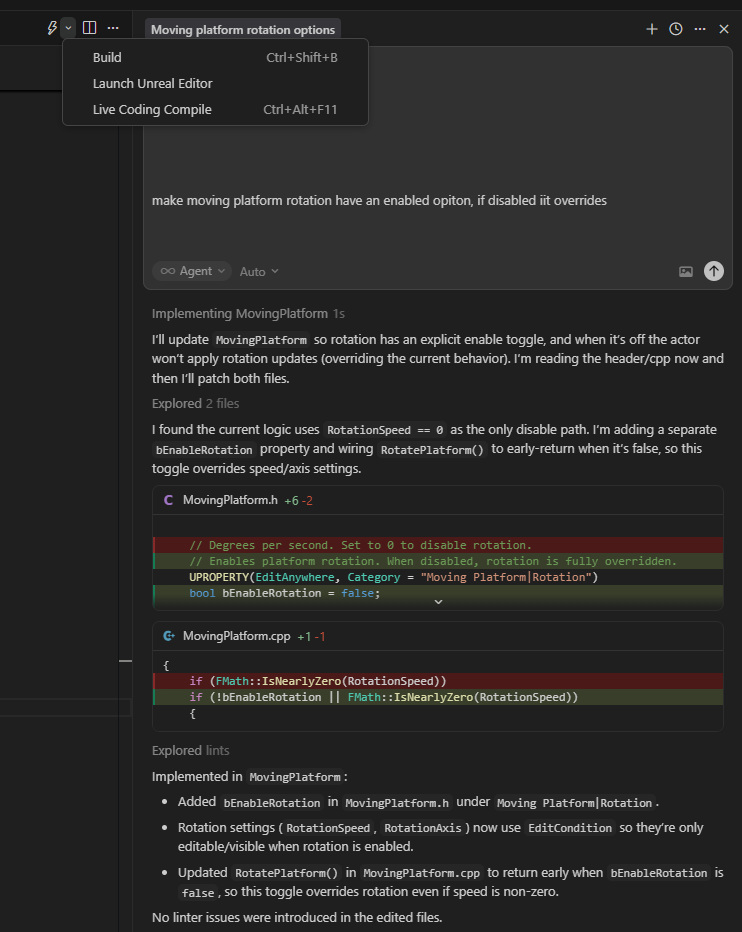
Build, Launch Unreal Editor, and Live Coding Compile with keybindings — right in the editor title bar.
MSVC and UBT errors are parsed with custom problem matchers ($enginelink-msvc, $enginelink-ubt) and surfaced as native diagnostics.
EngineLink tasks are available in the Tasks panel and can be referenced from tasks.json for custom workflows.

Let the AI handle builds
EngineLink ships an MCP server so Cursor's AI can actually compile your project, read the errors, and fix them. Auto-generated .cursor/rules teach it proper Unreal C++.
build my project and fix any errors
I'll build the project using enginelink_build and check for compilation errors.
enginelink_build()Build failed — 1 error, 0 warningsenginelink_get_build_errors()error C2664: cannot convert 'FString' to 'const TCHAR*'Found a type conversion error in PlayerController.cpp. The FString needs to be dereferenced with the * operator. Fixing and rebuilding.
enginelink_build()Build succeeded — 0 errors, 0 warnings (14.2s)Fixed build error in ObstacleAssault:
- •Dereferenced
FStringwith*operator forTCHAR*conversion in PlayerController.cpp:47 - •Rebuilt project successfully with 0 errors
MCP Server Tools
Spawned as a sidecar process. Registered automatically in .cursor/mcp.json.
enginelink_buildBuild the project (supports configuration and target overrides)enginelink_rebuildClean and rebuildenginelink_cleanClean build artifactsenginelink_get_build_errorsRetrieve errors with file paths, line numbers, and messagesenginelink_get_project_infoGet project name, engine version, modules, and build settingsenginelink_launch_editorLaunch Unreal Editorenginelink_live_codingTrigger a Live Coding hot-reloadenginelink_generate_compile_commandsRegenerate compile_commands.jsonAuto-Generated Rules
Generated on detection, never overwritten — customize freely.
unreal-conventions.mdcClass prefixes (U, A, F, E, I, T), PascalCase, UE container types
unreal-macros.mdcUCLASS, UPROPERTY, UFUNCTION, USTRUCT, UENUM, GENERATED_BODY
unreal-build-system.mdc.Build.cs, .Target.cs, module structure, dependency management
unreal-live-coding.mdcWhat Live Coding can and cannot patch at runtime
unreal-patterns.mdcDelegates, timers, subsystems, Gameplay Tags, Enhanced Input, logging
How it works
Seriously, just open a folder with a .uproject and you're good to go.
Open Project
Open Project
Open any folder containing a .uproject file in Cursor. EngineLink activates automatically.
workspaceContains:**/*.uprojectAuto-Detect
Auto-Detect
Parses EngineAssociation, discovers matching UE installs from the registry, and locates VS Build Tools. The status bar populates instantly.
Zero configuration requiredBuild & Iterate
Build & Iterate
Press Ctrl+Shift+B to build, or use the Command Palette for Rebuild, Clean, Launch Editor, or Live Coding. Errors land in the Problems panel.
Ctrl+Shift+P → EngineLink: BuildAI-Powered Fixes
AI-Powered Fixes
Tell Cursor "build my project and fix any errors" — the AI agent invokes UBT, reads the diagnostics, and proposes fixes autonomously.
MCP tools → diagnose → fix → rebuildGrab the code
Not on the Marketplace yet — early days! Clone it, build it, try it out. PRs and feedback are super welcome.
git clone https://github.com/rmoubayed/engine-link.git && cd engine-link && npm install && npm run buildcode --install-extension enginelink-0.1.0.vsixOr press F5 in the cloned repo to launch the Extension Development Host.
Windows 10/11
Registry-based engine discovery and PowerShell Live Coding are Windows-specific
Unreal Engine 5.4+
Tested with UE 5.4; earlier versions may work but are not officially supported
VS Build Tools
Required for MSVC compilation; detected automatically via vswhere
Cursor or VS Code
Engine version ^1.85.0